

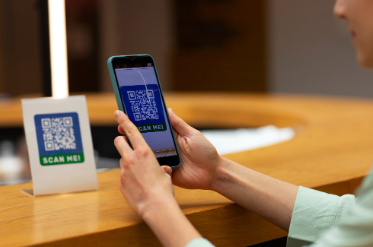
Picture this: you meet someone at a networking event, impress them with your sleek digital business card, and they tap the link later that evening — only to land on a broken page, a “404 not found” error, or a domain that’s been taken over by someone else entirely. In that single moment, your first impression quietly falls apart.
Expired links on a digital business card are more damaging than most people realize. They don’t just create confusion — they signal carelessness, erode trust, and can cost you real opportunities. The good news? This is one of the most preventable problems in your digital networking toolkit, and fixing it is simpler than you think.
Let’s walk through everything you need to know about handling expired links — from spotting them early to keeping your card fresh and professional for the long haul.
Why Links Expire on Digital Business Cards
Understanding why links expire is the first step to preventing the problem. Links on your digital business card can break for several reasons. Your website domain might have lapsed if you forgot to renew it. A social media profile URL could have changed after a username update. Third-party services you linked to — like a Calendly booking page, a portfolio on Behance, or a Linktree profile — may have been deleted or restructured. Even shortened URLs created through tools like Bitly can expire if your free plan runs out.
Each link on your card is only as strong as the destination it points to. When that destination disappears, the link becomes a dead end — and your card takes the hit.
Audit Your Digital Business Card Regularly
The single most important habit you can build is performing a regular link audit. Set a calendar reminder — monthly or at minimum quarterly — to manually click every link on your digital business card and confirm it still leads where it should.
This includes your website, email address, phone number, LinkedIn profile, Instagram handle, portfolio URL, booking links, and any other embedded resources. Platforms like HiHello, Blinq, Popl, and Linq make it easy to edit your card at any time, so there’s no excuse for letting a broken link sit unnoticed for months. Think of it like checking the oil in your car — a small habit that prevents a much bigger breakdown later.
Update Links Immediately After Any Change
Whenever you make a change to any of your online profiles or services, your digital business card should be the very next thing you update. Changed your LinkedIn username? Update the card. Switched website hosting providers and got a new domain? Update the card. Moved your portfolio from one platform to another? Update the card.
It sounds obvious, but in the rush of a transition, updating your digital card is easy to overlook. A helpful trick is to keep a simple checklist — either in a notes app or a shared document — that lists every link on your card. Every time you update a profile or service, check the list and make the corresponding edit right away.
Use Stable, Evergreen Links Wherever Possible
One of the smartest things you can do is design your digital card around links that are unlikely to change. Your personal domain name, for instance, is something you control entirely — as long as you keep renewing it through registrars like Namecheap or Google Domains. A personal website at yourname.com is far more stable than a third-party profile page that could be restructured at any time.
For social media, link directly to your profile using your handle rather than a generated page URL that might break after a platform update. For booking and scheduling, tools like Calendly and Cal.com tend to maintain stable profile URLs as long as your account stays active. Choosing stable destinations from the start dramatically reduces how often you’ll need to fix things down the road.
Set Up Domain and Subscription Renewal Reminders
A surprising number of broken links trace back to one simple oversight: a forgotten renewal. Domains typically need to be renewed annually, and if your credit card on file has expired or the auto-renewal failed, your website goes offline — and so does every link pointing to it.
Log into your domain registrar today and make sure auto-renewal is enabled. Do the same for any paid tools or platforms whose links appear on your card, such as a Squarespace website, a premium Linktree account, or a hosted portfolio on Format or Adobe Portfolio. A small billing disruption can silently knock out multiple links at once. Setting up email reminders 30 days before any renewal date gives you a comfortable window to act before anything expires.
Use a Link Management Tool for Better Control
If your digital business card contains several links, consider centralizing them through a link management platform. Tools like Bitly (paid plan), Short.io, or Rebrandly let you create branded short links that you can redirect at any time — without changing the link itself on your card.
This is a game-changer. If your website URL changes, you simply update the redirect inside the link management dashboard, and the link on your card automatically points to the new destination. You never have to touch the card itself. This approach gives you a single control panel for all your links, with the added benefit of click tracking and analytics so you can see which links on your card are actually getting used.
Notify Your Network When You Refresh Your Card
If you’ve recently discovered and fixed several broken links, it might be worth sending a quick note to your most important contacts. A brief message saying you’ve updated your digital contact details comes across as professional and proactive, and it gives people a fresh reason to re-engage with your card.
Platforms like HiHello and Popl allow you to reshare your updated card instantly via QR code, email, or text. Some platforms even notify saved contacts automatically when your card information changes — a feature worth enabling if your platform supports it.
Test Your Card From Another Device
Here’s a tip many people skip: always test your digital business card from a device that isn’t your own. What looks functional on your personal phone — where you might be logged into accounts or have cached pages — can behave differently on someone else’s device.
Ask a colleague or friend to tap or scan your card and walk through every link. This real-world test often catches issues that a self-review misses, including region-locked content, login-required pages, or links that redirect incorrectly on certain browsers. It takes five minutes and can save you from weeks of missed connections.
FAQ
How do I know if a link on my digital business card is broken? The easiest way is to manually click every link during a regular audit. You can also use free tools like Dead Link Checker or Broken Link Checker to scan URLs automatically.
Can I fix a broken link without redesigning my entire digital business card? Yes. Most platforms like HiHello, Blinq, Popl, and Linq allow you to edit individual links instantly without affecting the rest of your card design.
What happens if my domain expires and someone clicks my website link? Visitors will typically land on an error page, a domain parking page, or in some cases a page owned by whoever purchases the expired domain. Renewing promptly avoids this entirely.
Should I use a link shortener on my digital business card? A paid link shortener with redirect control — like Rebrandly or Short.io — is a smart choice. Free shorteners may expire or lack redirect flexibility.
How often should I review the links on my digital business card? Once a month is ideal for active networkers. At minimum, do a full review every three months and immediately after any change to your online profiles or services.